Posts

CCR for music video

 The PowerPoint on this post is my CCR.  

Music video

    The music video was the second project that my group and I did. This was the first music video that I have ever created. This time I got to learn about filming and editing more than I did when my group and I did the commercial. The filming process was longer than I thought it would be initially. However, my group managed to film everything that day. During the filming and editing my skills greatly improved. Although I still have room for improvement. During filming (since I was able to film this time) my hands were not as shaky, and I also got better at utilizing props. I also did a lot more editing than last time. I learned how to add text into the screen. I also got better at putting clips together and cutting parts out of a particular scene and not making it look messy.  

production blog: finishing editing music video

Image
 Today in class my group and I finished up editing for our music video. The audio was readded and worked so all that had to be done was adding the speech/what people were saying and make any final changes. My group and I once again only used one computer to edit. The first thing that we did was put what people were saying into their respective scenes. The editing Sofware/app that we used had a feature where you could insert text. So, we just used that. At first, I suggested that speech bubbles be used so that the audience could see who was talking. However, this didn't work, and the speech bubbles just looked funny. Ultimately, my group and I decided to just put the text near who was talking. After that my group and I took turns listening to the song over the video to see if the lyrics matched what was happening on the screen. The conclusion made was that the song did not entirely match what was happening in the video. Because of this, as a group it was decided to make the intro of...

production blog: continuing to edit

Image
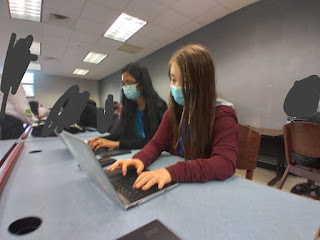
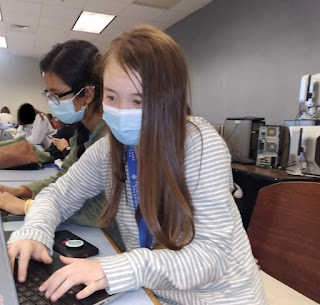
 Today my group and I did more editing for our music video. Me and my groupmates decided that doing the editing would be easier to do on one laptop so that we could edit together. After my group and I got signed in and ready to edit we found that the music was temporally not working. This made my group and I unable to edit as the program would not permit it. Because of this the music was temporally unadded to the music video and will be added back later. Today the editing was mainly about making the music video 1 minute and 15 seconds. Before editing today, the music video was at 1 minute and 26 seconds. Since the music video was over the max limit some scenes and parts of scenes had to be cut. Although I did do some editing on the computer today, I mainly helped gave suggestions and feedback to Tasmia and/or Kennedy. This helped to form editing ideas and make the music video look better. Some of the suggestions/edits I made were, for the part of a scene where Tasmia points to me I...

production blog: starting to edit

Image
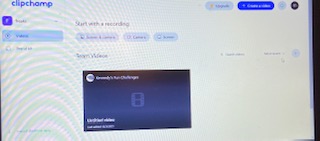
 Today, my group and I started to edit our music video. The website/editing tool that was agreed on to edit is called Clipchamp. It was the easiest to use and was also a practical choice as Kennedy already had it installed on her laptop. Another plus was that you did not have to install an app to use it/the full thing.  The first thing that had to be done was getting all the scenes onto the editing software and put into the right order. One of my teammates already had the editing software that we decided to use so my group and I just chose to do this part on her laptop.  After this, I tried to get logged in to the editing software that we agreed was going to be used to edit so I could start editing things on my own. This was so my group, and I could get things done faster as my whole group could access the music video whenever and also didn't have to be working from one computer in class.  My teammate (Tasmia) and I had some trouble getting logged in and getting the ...

production blog; day of filming

Image
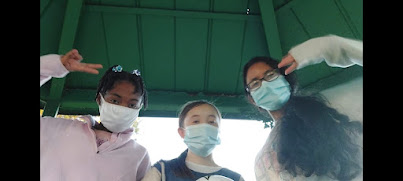
 Today my group and I filmed the whole music video. It was filmed at a local park, which has a playground and is near a library. Since one of my groupmates had not shown up yet me and my other teammate (Tasmia) decided to film shots that she (Kennedy) was not a part of. The first thing that was shot was my introduction. My feet were filmed first and then the camera panned up to show all of me. After this was filmed, Kennedy got there. After she arrived, I filmed Tasmia's introduction. I filmed her walking (only her feet) and then I filmed her walking (showing all of her). Following this, my teammates and I had to try to get our brothers (Tasmia and I) to focus. It took a while but eventually me and my group were ready to film. Our brothers were included because we needed people to be the bullies. They threw a ball at me, booed me, and put their thumbs down (only their hands were filmed). Since that was as the only scene that we needed them for, after the scene was filmed, they went...
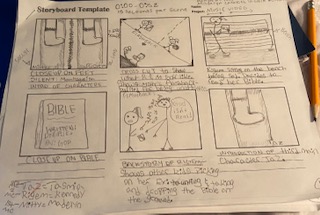
music video storyboard

Image
 Scene 1: The first scene will be an introduction to two of the main characters by showing a close-up shot of them walking on/onto a sidewalk.  Scene 2: The second scene will show the first character fully and cut to a flashback to their past and show how they were treated poorly by classmates for not being the best at sports.  Scene 3: The third scene in our storyboard shows the second character sitting on a bench with her Bible.  Scene 4: This scene will be a close-up of the Bible to clarify to the audience that it is the Bible to avoid confusion regarding the specificity of what the book is.  Scene 5: This scene will be a flashback/cut to the backstory for the second character on how they were mistreated for their beliefs.  Scene 6: This scene will introduce the third main character in our music video by showing her foot and panning up to show what she looks like.  Scene 7: This scene, which will be a flashback, will have a cut-shot to the third cha...